Share a Project
How to Share a Project?
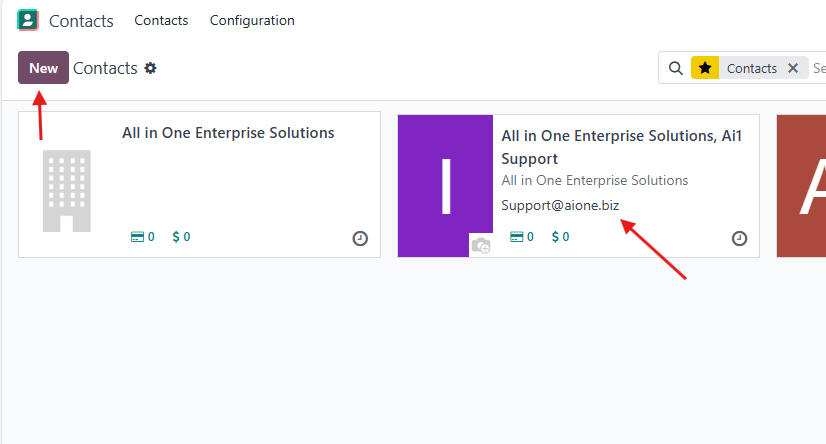
To share a project with someone, you need to make sure that they are available in your Contacts.
- Go to the Contacts app, search for the specific user you want to share the project with, and check their email.
- If the contact is not available, create it and make sure the email address is filled in correctly.


Select Share Project
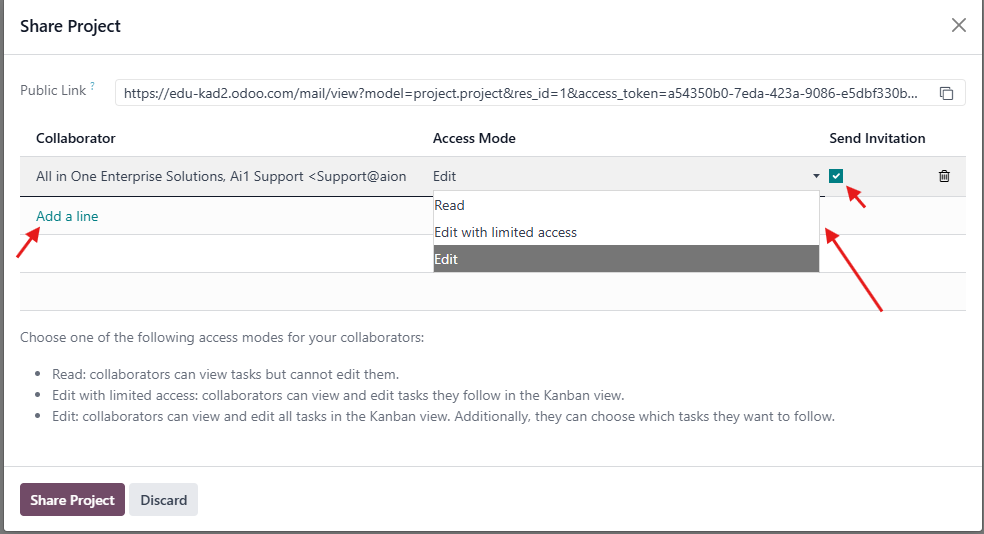
After that, go to the Projects app → click on the three vertical dots
Click Add a line, then choose the contact you want to share the project with → select the desired Access Mode, and finally send the invitation.
Another way to share the project
You can also share a project by creating a Portal User from the Settings.
To do so:
- Activate Developer Mode — go to Settings, search for Developer, and activate it.
-
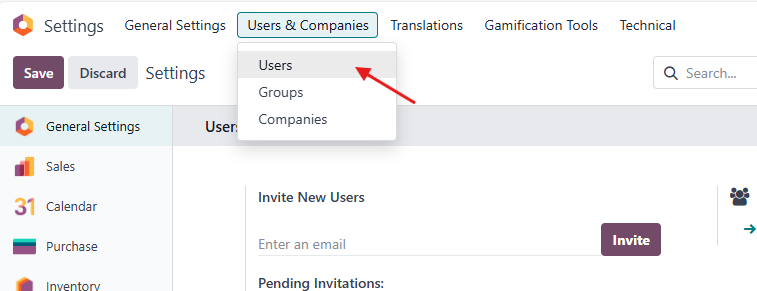
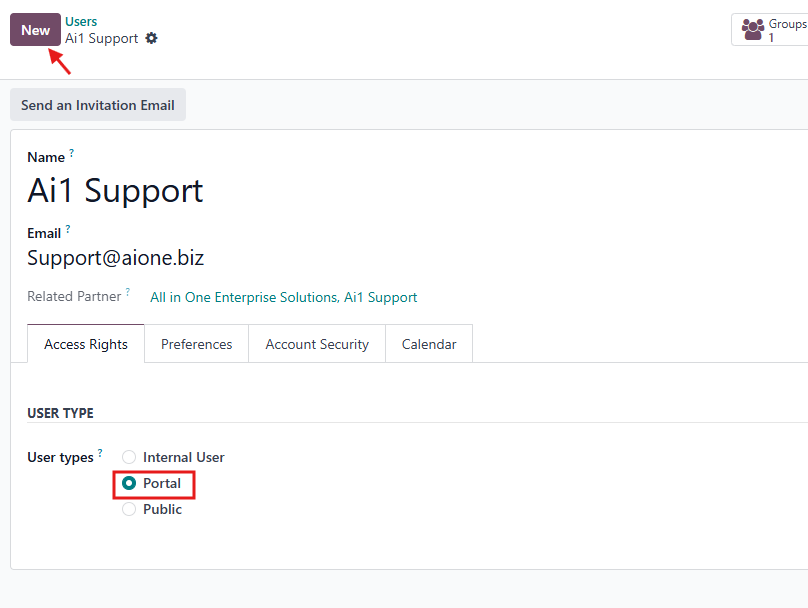
In Settings → under Users & Companies, select Users → click New, then fill in the user’s Name and Email, and set the User Type to Portal.
-
Save the record, then create a password for this user.
-
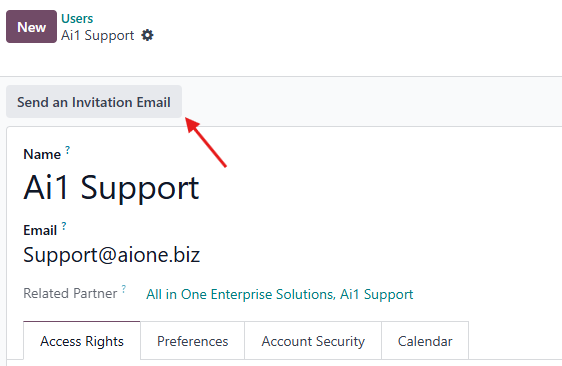
You can either click Send an Invitation Email to let the user create their own password,
-
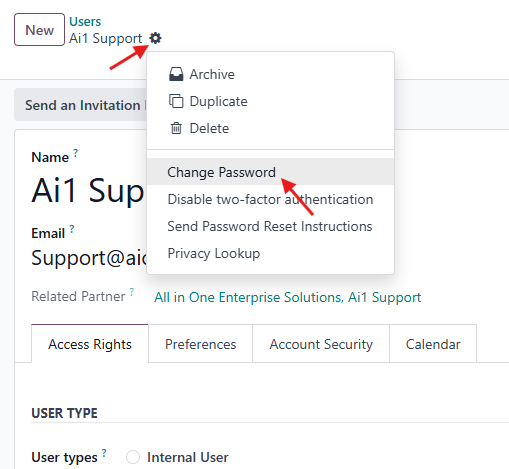
or click on the Gear icon → Change Password, and enter the desired password manually.
-
You can either click Send an Invitation Email to let the user create their own password,
-
After that, go to the Project you want to share (in the Projects app), click on the three vertical dots, and send the user their username, password, and the project link.
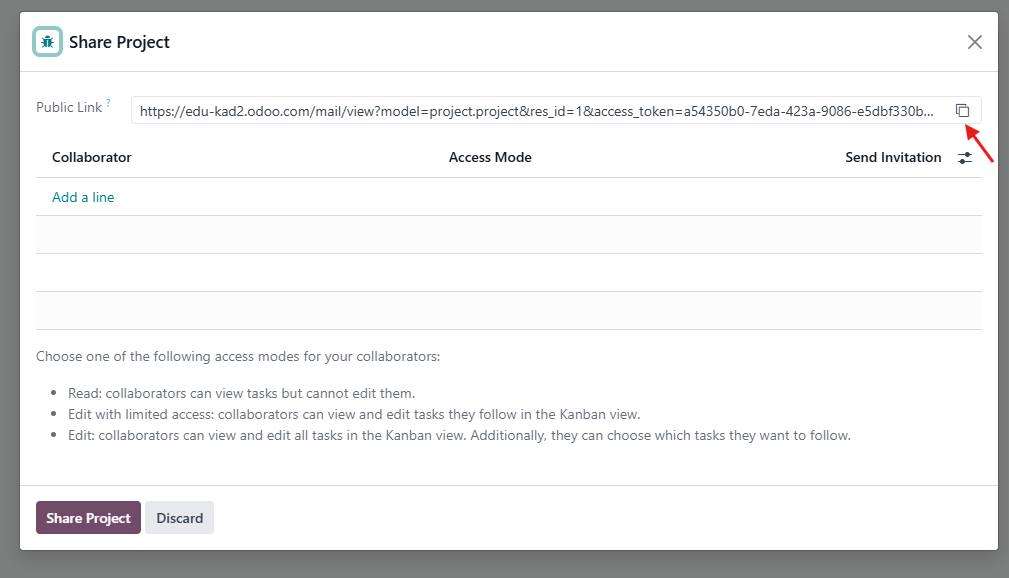
Now, when the user signs in, they will have access to that specific project.
Rating
There are no comments for now.
to be the first to leave a comment.